How to make a wedding invitation on your phone
2 min video · 2 min read · Updated
You can make a wedding invitation website on your phone in about ten minutes: pick a design, fill in eight short steps and share the link on WhatsApp. Watch the two-minute video, or read the steps below. Each step links to its moment in the video.
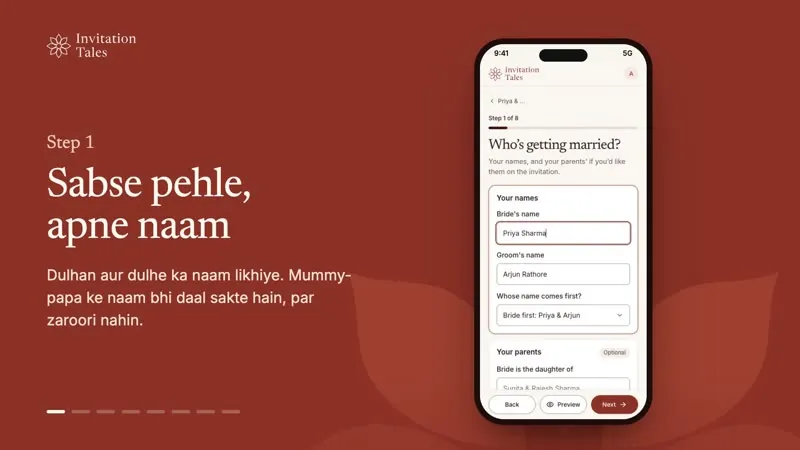
1. Add your names
Type the bride's and groom's names, then choose whose name comes first. Parents' names are optional, and the invitation only shows them if you add them.
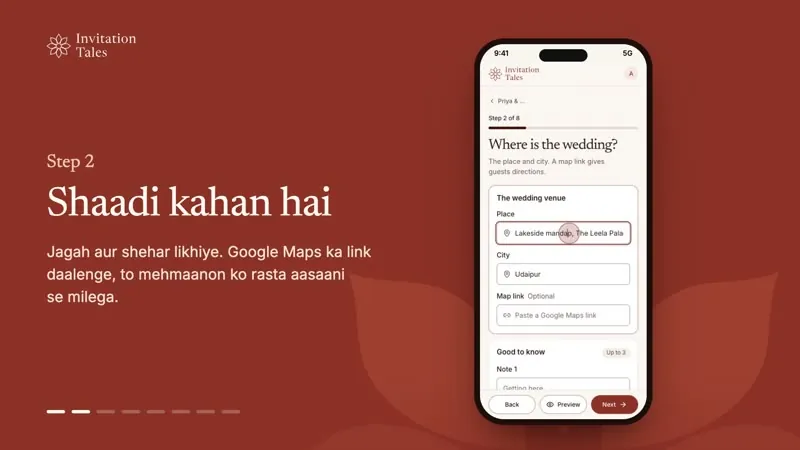
2. Add the venue
Write the place and the city, then paste its Google Maps link. Guests get a button that opens directions to the venue.
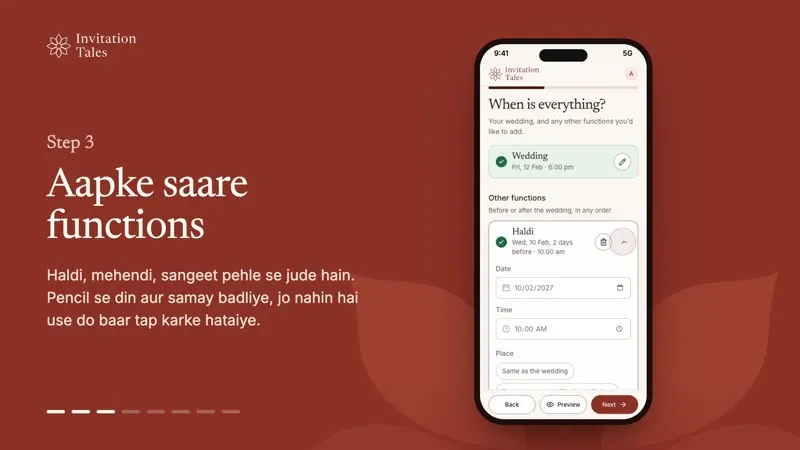
3. Add your functions
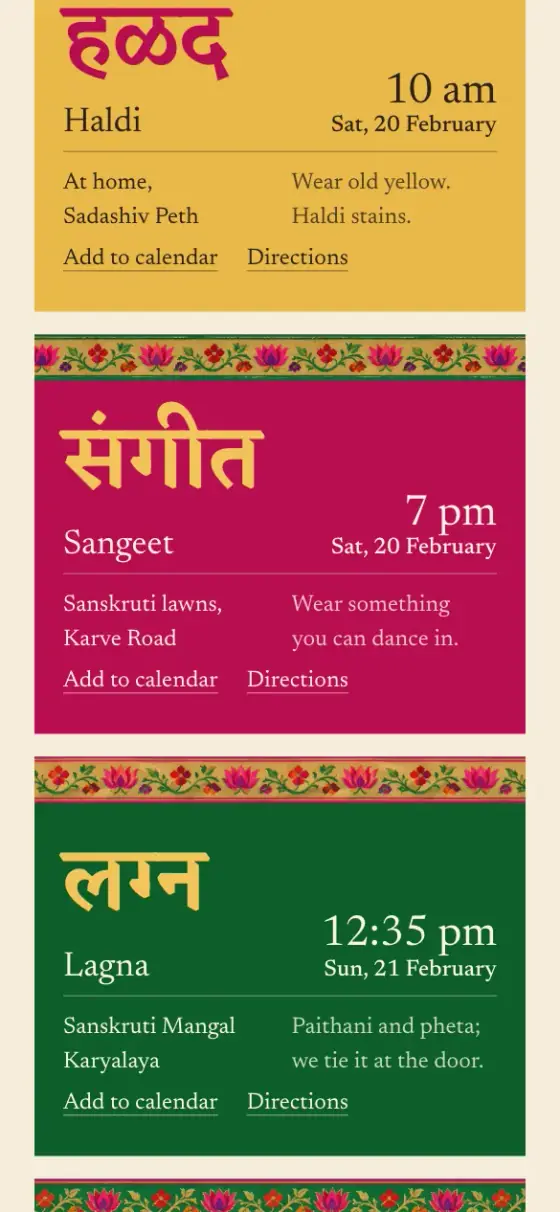
Haldi, mehendi and sangeet come filled in. Change the date, time and place of each one, and remove any you aren't having.
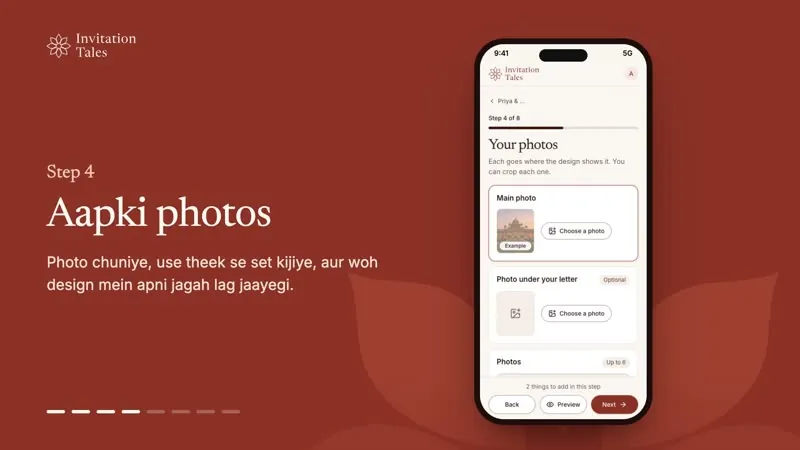
4. Add your photos
Each place in the design shows an example photo until you add yours. Choose a photo, crop it to fit, and it takes its place.
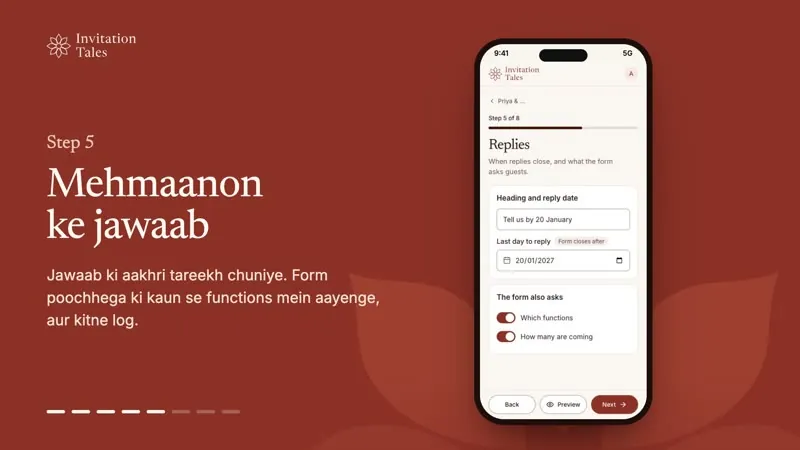
5. Choose how guests reply
Pick a last date to reply. The form asks guests which functions they're coming to and how many people are coming.
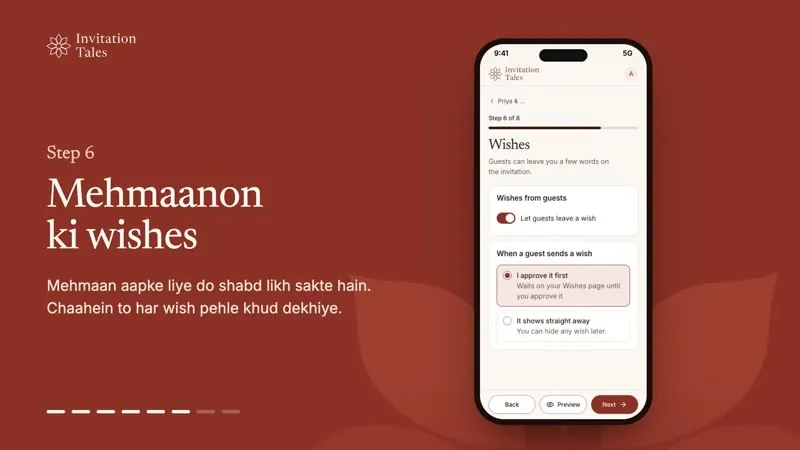
6. Turn on wishes
Guests can leave a wish on the invitation. Choose whether each one shows straight away or waits for you to approve it.
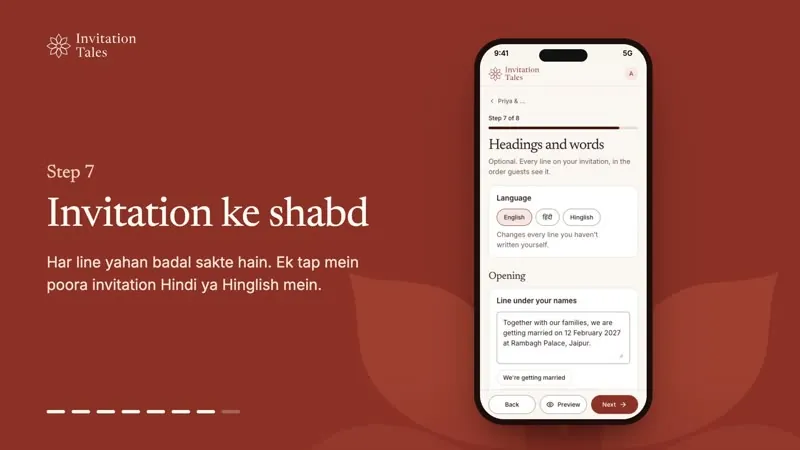
7. Change any words
Every heading and line can be changed, and one tap switches the invitation to Hindi or Hinglish. This step is optional.
8. Publish and share
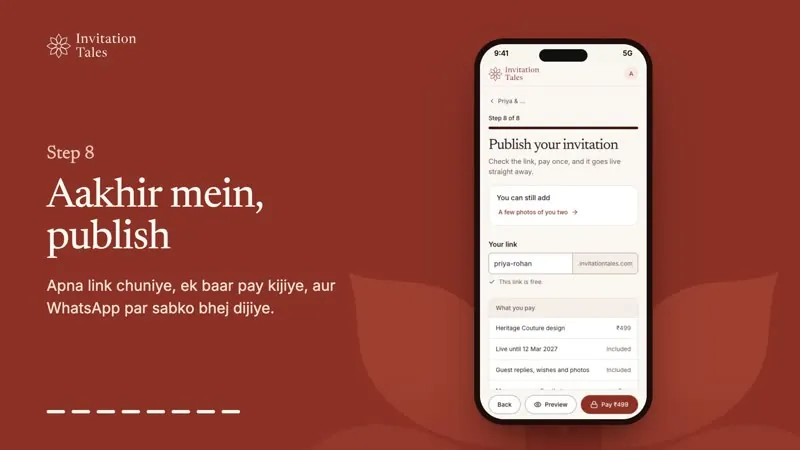
Choose your link, check the preview once more and publish. Then send the link on WhatsApp.